Linear Array
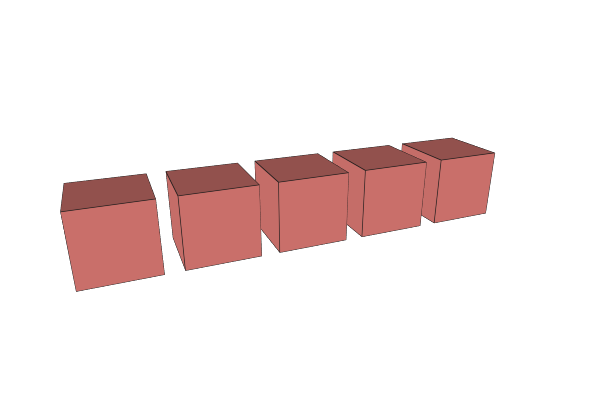
Linear Array creates multiple copies of an object arranged in a straight line along a specified direction. Use this for creating repeating features like bolt holes, teeth, slots, or fence posts.
How to Use
- Select an object
- Apply the Linear Array operation from the Array menu
- Set the number of copies, direction, and spacing
Parameters
- Count - Number of copies to create (default: 3, range: 2-10). Supports expressions.
- Direction - The axis direction for the array. Default is along the X axis (left to right). You can set any direction vector.
- Distance - Space between copies in millimeters (default: 30mm). Supports expressions.
Tips
- The first copy stays at the original position. Additional copies are placed at 1x, 2x, 3x the distance along the direction
- Change the Direction vector to array along any angle, not just the main axes
- Use expressions for Count or Distance to create parametric patterns that adapt when you change values
Related
- Radial Array - Arrange copies in a circular pattern
- Advanced Array - Create arrays with rotation and scaling per copy