Braille Card
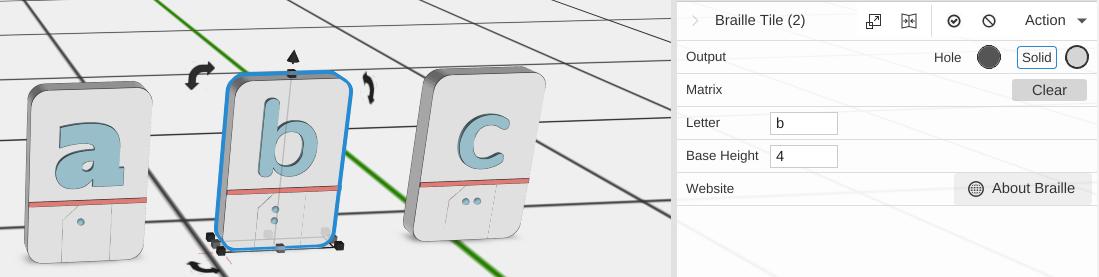
A Braille Card shows one letter twice on a rounded plate: as Braille dots, and as an ordinary letter standing up above them, with a line between the two. It is a handy way to learn or teach the Braille alphabet.
How to Use
- Open Included > Design Apps in the Library (or under Add to Bed) and add Braille Card to the bed
- Set Letter to the letter you want
- The card rebuilds with that letter in Braille and as an ordinary letter
Parameters
- Letter - The one letter the card shows (default a)
- Base Height - How thick the plate is, in mm (default 4)
- Website - Opens the Wikipedia page about Braille
Tips
- Make one card per letter to build a full alphabet set
- To write words or sentences in Braille, use Braille instead