Outline Path
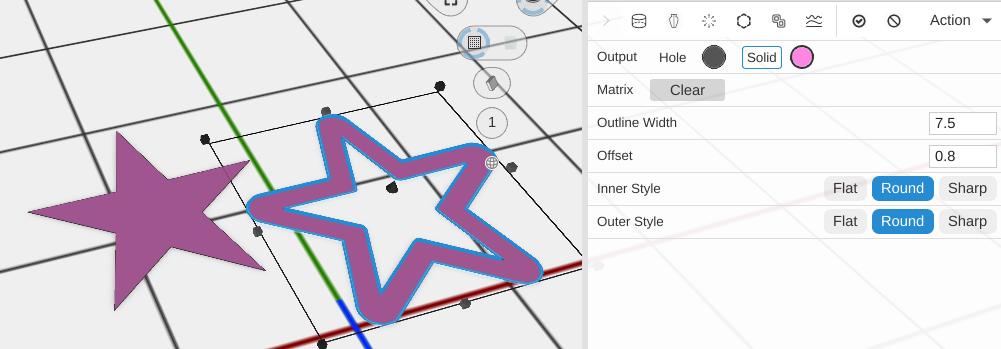
Outline Path creates an outline version of a filled path, converting a solid shape into just its boundary ring with a specified thickness.
How to Use
- Select a 2D path
- Click Outline Path in the Path group of the toolbar
- Set Outline Width
Parameters
- Outline Width - How wide the outline band is, in mm (default 0.5; the slider runs 0.1 to 10)
- Offset - Where the band sits on the path’s edge, as a share of its width (default 0.5; 0 to 1): how much of the band lies outside the original edge. 0.5 centers the band on the edge. An open line is always outlined down its middle
- Inner Style - How the inside corners of the band are drawn: Flat, Round or Sharp (default)
- Outer Style - How the outside corners of the band are drawn: Flat, Round or Sharp (default)
Tips
- Use this to create frame-like shapes from solid paths
- Combine with Linear Extrude to create 3D frames and borders
- An outlined Circle Path makes the same shape as a Ring Path
Related
- Inflate Path - Expand a path outward
- Border Path - Add a border offset
- Ring Path - A ready-made ring shape