Box Path
A rectangular 2D path, added as Box from the 2D Primitives. Use with Linear Extrude to create box shapes, or as a base for other path operations.
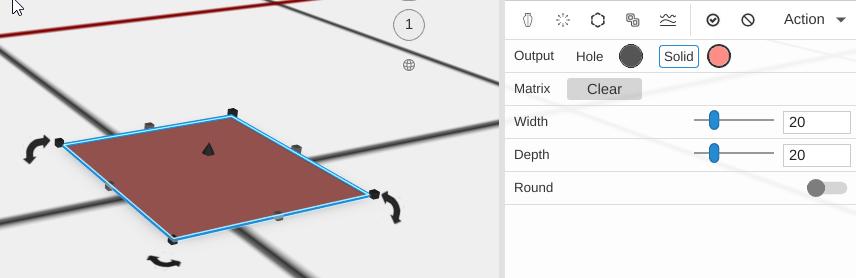
Parameters
- Plane - The construction plane the rectangle is drawn on (default XY, flat on the bed)
- Width - The size of the rectangle along X, in mm (default 20)
- Depth - The size of the rectangle along Y, in mm (default 20)
- Round - Off by default. Turn it on to round all four corners
- Radius - The corner radius, in mm (default 3; the slider runs 0 to 20). Shown only with Round on
- Round Segments - How many straight pieces make each rounded corner (default 9; the slider runs 1 to 30). More is smoother. Shown only with Round on
Tips
- A Box Path plus Linear Extrude creates a shape similar to a Cube, but you can apply path operations like Inflate or Fillet before extruding
Related
- Circle Path - A circular 2D path
- Star Path - A star-shaped 2D path
- Linear Extrude - Give paths height