MatterCAD - Next Release (in development)
New Features
- Numbers in Your Region’s Format
- MatterCAD shows numbers the way your computer’s region writes them - 1234,5 where a comma is the decimal mark, 1234.5 where it is a period - and you type them the same way
- Designs, settings and formulas are saved the same way on every computer, so a design made in Germany opens exactly the same in the US
- A number typed with thousands separators (1.000 or 1,000) is refused with a message asking for 1000, instead of being guessed as one or a thousand
- Where a comma is the decimal mark, formulas use it too, with semicolons between values the way spreadsheets do:
=MAX(1,5; 2)and[1,5; 2; 3] - A new Number format choice in Application Settings picks System (your region), 1234.5 or 1234,5
MatterCAD 2.2026.8 (August 13, 2026)
New Features
- Edit Children
- Double-click an object on the bed or in the Scene Tree to step inside it and edit the parts it is built from — no separate window or tab
- For operations like Subtract, you edit the source parts and the result rebuilds when you come back out
- A breadcrumb across the top of the Scene Tree shows the full path; clicking a level folds your edits in as one undoable step, and each level keeps its own undo history
- One Boolean Tool
- Combine, Subtract, Intersect, and Subtract and Replace are now a single operation with an icon row at the top of its panel — switch modes with a click instead of deleting and re-applying
- The same operation handles both 3D meshes and 2D paths, and shows progress while a heavy boolean runs
- Designs saved with the older separate boolean objects continue to open normally

- Booleans That Just Work
- Booleans run on a new native engine that is faster and succeeds on meshes that previously failed
- Combine repairs parts with holes automatically: clean repairs join the union, parts that cannot be safely merged are kept beside it and named for you, and a part that could not be repaired keeps your original geometry
- Plane Cut is now a true solid intersection, so the result is watertight and printable instead of an open shell
- New Keep Inside Out Geometry and Repair Winding Order options for troublesome imported meshes
Improvements
- 2D Path Editor
- Four point modes — Sharp, Symmetric, Aligned, and Free — applied with one click, in both the 2D editor and the 3D view
- Mirror is now a live symmetry mode: edits mirror across the center as you make them, and dragging a mirrored pair onto the axis merges it to a single point
- Drag-select points with a rubber band, move them as a group, snap to the grid, and press Esc to cancel a drag
- Smooth fits a curve through your clicked-out points in one step
- Viewing and Navigation
- Press Z with a flat path selected to animate to a straight-down editing view fitted to the path
- Sub-pixel text rendering is now on automatically when your display supports it, and can still be turned on or off under Advanced settings
- Modeling
- Linear Extrude can bevel the bottom edge with its own style, radius, and segment count
- Editor-only objects (3D Curve, Measure Tool, Description, Sheet) still display but are excluded from export
Top Bug Fixes
- A save that failed part-way could truncate the file it was replacing while reporting success. Saves now complete fully, then replace the destination atomically — the same protection covers library saves and exports
- A failed save leaves the design marked unsaved, so closing the app cannot silently discard your work
- Saving a cloud item to disk kept the old tab name and lost the tab on restart
- Fixed 3MF sub-models being silently dropped on load, and 3MF files loaded at the same time contaminating each other
- Fixed crashes, a broken histogram filter, and copies of an image part not staying in sync with the original
- Fixed a crash when deleting a curve point, and points at a closed path’s seam reverting the mode you chose
- The Stop button on a running task is now clickable and actually cancels
MatterCAD 2.2026.5 (May 8, 2026)
New Features
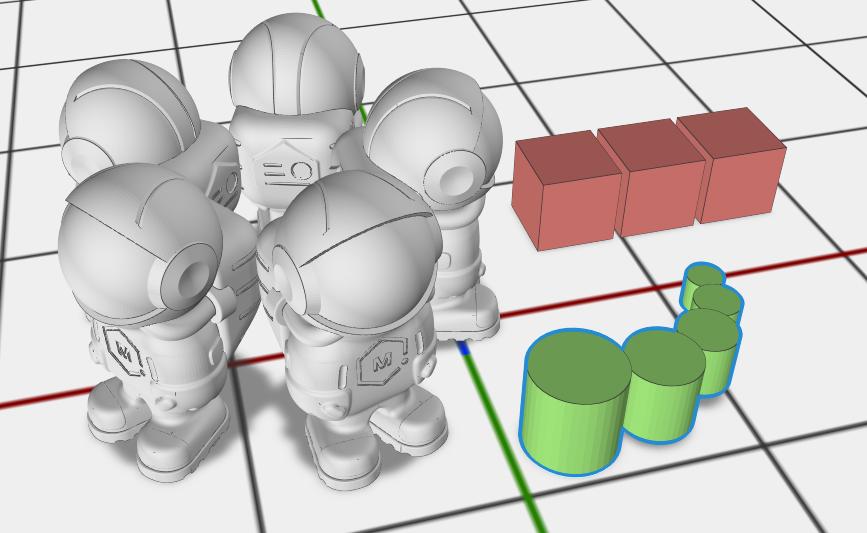
- Redesigned Array Tool
- Single unified Array operation replaces the old Linear Array, Radial Array, and Advanced Array
- Linear mode: copies along a direction with optional rotation and progressive scale
- Radial mode: copies around a central axis with configurable radius, sweep angle, and arc or full-circle patterns
- Transform mode: step copies using a manual transform or a named sibling object’s transform
- Compounding rotation mode in Linear creates spirals, fans, and helices naturally
- Scale Affects Offset option for nautilus-shell and geometric-progression layouts
-
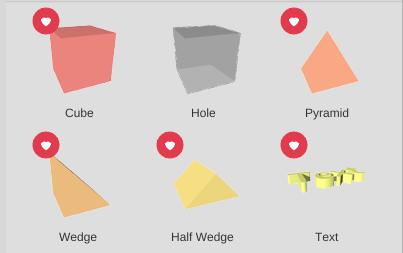
- Library Favorites
- Star any library item to add it to a persistent Favorites folder
- Quickly access your most-used primitives, generators, and saved parts from one place
-

Improvements
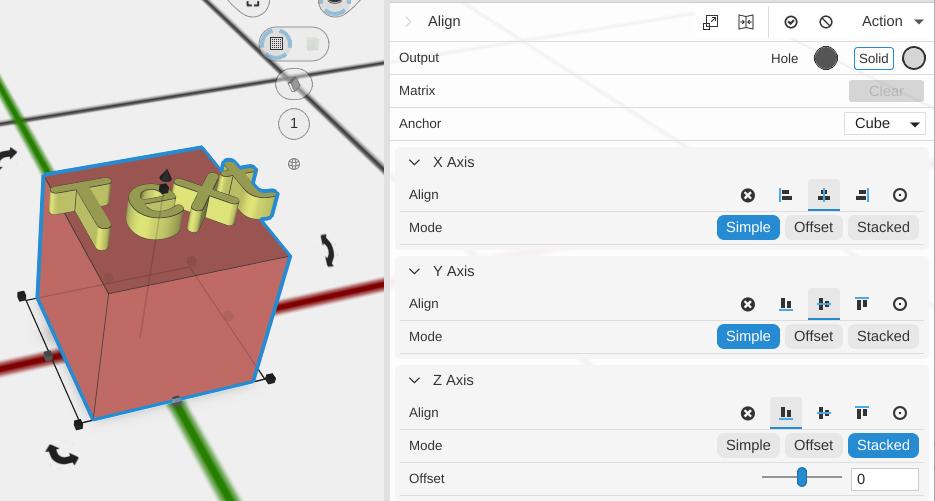
- Align
- Stacked alignment is now a direct mode button instead of a dropdown option
- Added clearer Simple, Offset, and Stacked modes for lining up edges, adding precise gaps, and building ordered stacks
- File Support
- Added support for WEBP image format in image-based operations
- Improved SVG file parsing for more reliable imports
- Reliability
- Improved 3MF file loading speed and reliability
- Better tab restoration between sessions
Top Bug Fixes
- Login and Cloud Library Access
- Login and Cloud Library access are restored after a backend server upgrade broke sign-in.
- MatterCAD now prompts you to sign in again when cloud access finds expired or invalid credentials.
- Scene Tree Selection
- Fixed inconsistent selection behavior when choosing objects from the scene tree.
- Help Navigation
- Fixed navigation issues in the bundled help and release documentation.
- Library Right-Click
- Fixed right-click behavior in the library tree view.
- Sheets
- Fixed a crash that could happen while working with sheets.
MatterCAD 2.2026.3 (March 12, 2026)
New Features
- All-New Direct3D 11 Rendering Engine
- Complete migration from OpenGL to Direct3D 11 for dramatically better performance
- FXAA anti-aliasing for crisp, clean edges
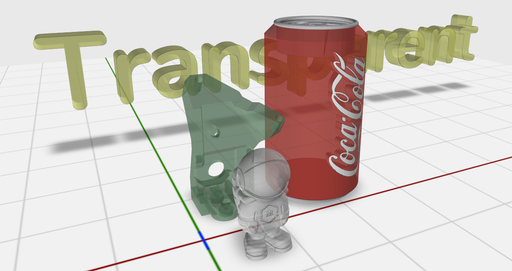
- Dual depth peeling for correct order-independent transparency
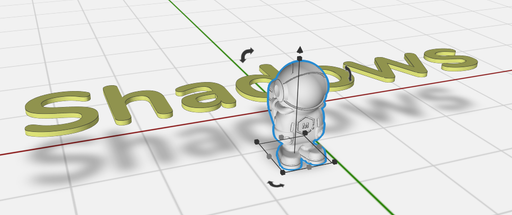
- Hardware-accelerated bed shadows
- Improved object outlines and selection visuals
- Object Transparency
- Set alpha/transparency on any individual object in the scene
- Per-face color meshes support alpha without color damage
- Lock & Hide Objects
- Lock objects to prevent accidental selection or editing
- Hide objects to reduce visual clutter while working on specific parts
- Unhide All and Unlock All commands to quickly restore visibility
- Locked and hidden objects are correctly excluded from ray-based selection
- Improved Boolean Subtract
- Multi-subtract operations are significantly more reliable and accurate
Improvements
- File Handling
- Projects now save as 3MF by default instead of STL, preserving colors, materials, and design history
- Enhanced drag-and-drop support for files and folders into the 3D view
- Workflow
- Save As and Move dialogs remember your last folder location
- Expression fields now support
pi,tau,e, andcount - Esc key performs undo in design editing contexts
- 3D controls remain visible when mouse leaves the scene
- Performance & Stability
- Fixed startup crashes and recursive load issues
- Fixed lighting and mipmapping rendering bugs
- Improved library tree view updates
- Dynamic near/far plane calculations for better zoom behavior
- Upgraded to .NET 10
MatterCAD 2.2025.6 (June 20, 2025)
New Features
- SVG File Support
- Full drag-and-drop support for SVG files
- Direct conversion from SVG graphics to 3D objects
- Seamless integration with existing CAD workflows
- Advanced OBJ File Handling
- Support for loading materials from ZIP archives
- Enhanced OBJ file parsing and material handling
- Better support for complex 3D models with multiple materials
- Enhanced Tab Management System
- Cloud library tabs now persist correctly - your work stays exactly where you left it
- Improved tab organization and navigation
- Automatic restoration of open tabs between sessions
User Experience Enhancements
- Streamlined Interface
- Reorganized Recent menu for faster access
- Better visual feedback during long operations
- Improved application startup time and responsiveness
- Reliability
- Fixed critical crashes in 3D scene interactions
- Resolved memory management issues
- Improved application stability across all platforms
MatterCAD 2.21.5 (Feb 13, 2025)
Existing Features
The following features represent the foundation that MatterCAD builds upon from MatterControl’s heritage:
- Added Hollow Feature
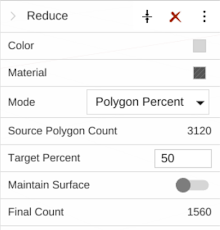
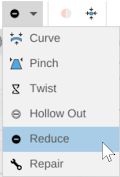
- Added Polygon Reduce
- Added Mesh Repair
- Put in fully automatic support (legacy support) as an opption in additon to new manual support option
- Added Support for gsSlicer (Experimental new slicing engine)
- Fixed bugs




Changes
- Improved ungrouping of mesh (splitting into multiple meshes)
- Discard degenerate faces
- Discard microscopic discrete features
Changes
- Added search bar for application
- Improved design tool bar
- Added grouping to some items
- Added dual align button
- Added Arrange All button
- Nudge items on the bed with arrow keys
- Downloads folder is sorted by date

Changes
- UI improvements
- Faster updates in Cloud Library folders
- Restore UI on re-open
- Better Keyboard navigation support
- New error detection and warning system
- More hardware errors handled
- Design tools improvements and optimizations
- New Twist tools
- Improved Curve tool
- Improved Align
Changes
- Improved flatten
- Improved Undo support
- Improved design history
Changes
- Versioning: Moving to a (version).(year).(month) version number. Easier to read and more informative.
- New State-of-the-art Subtract, Combine and Intersection (Window only)
- We now start up with a ‘Feature Tour’ to help new users find their way
Changes
- Design Tools - The ability to 3D model with a complete set of modeling primitives
- Use a primitive to create your own customized supports
- Design Apps - Design Apps: sophisticated customizable designs
- 64-bit Processing