Threads
Threads makes a threaded rod with the standard ISO 60 degree thread profile, standing on Z from the bed up. Its length is Pitch × Rotations. Turn on Use As Hole and it becomes the hole that rod screws into instead.
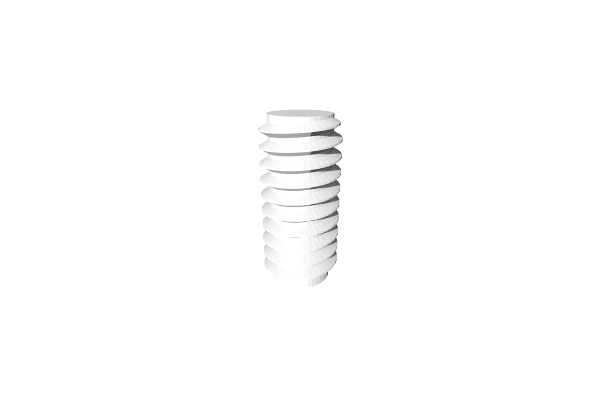
How to Use
- Open Included > Mechanical in the Library (or under Add to Bed) and add Threads to the bed
- Set the Diameter, Pitch and Rotations
- For a threaded hole, turn on Use As Hole
Parameters
Usage
- Use As Hole - Off by default. Turn it on to make a threaded hole: once combined with a part, the threads cut a matching hole into it, widened by Tolerance so a bolt of this size fits. Turning it on also sets the threads’ Output to Hole, in the same undo step, and the thread runs full height to both ends
- Countersink Ends - On by default. Adds a cone at both ends of the hole so a screw starts easily and the edge of the hole stays clean. Shown only with Use As Hole on
- Tolerance - Extra room for the fit, in mm (default 0.2; the slider runs 0 to 0.5). A bigger value makes a looser fit. Type a bigger value, or let go of the slider at its end, and the slider grows to fit, up to 10 mm, which is also the most Tolerance takes. Shown only with Use As Hole on
Attributes
- Diameter - The outer diameter of the threads, in mm (default 10; the slider runs 1 to 100, which is also the most it takes)
- Pitch - The distance from one thread to the next, in mm (default 2; the slider runs 0.5 to 100, which is also the most it takes). A smaller pitch makes finer threads. Most of the slider’s length is given to small pitches, so the common ones of a few mm are easy to pick
- Thread Scale - The width of the threads as a ratio of the pitch (default 1; the slider runs 0.1 to 1, and you can type down to 0)
- Rotations - How many times the thread goes around (default 10)
Geometry
- Sides - Number of segments around the perimeter (default 40; 3 to 200). More is smoother
Tips (Thread Ends)
The panel’s Tips section shapes the two ends of a rod. It is not shown with Use As Hole on.
- Tip Scale - How tall the thread is where it meets each end, from 0 (cut down to the core, the default) to 1 (full height, cut square). A low value gives the rod a lead-in that starts easily
- Tip Angle - How far around, in degrees of a turn, the thread takes to rise from the Tip Scale height to full height (default 90; 0 to 180). 0 cuts the ends square
Tips
- To make a threaded hole: turn on Use As Hole, move the threads into your part, then select both and Combine them. A hole cuts away whatever it overlaps
- Raise Tolerance if a rod and its hole fit too tightly
- Standard metric coarse pitches: M3 = 0.5 mm, M4 = 0.7 mm, M5 = 0.8 mm, M6 = 1.0 mm, M8 = 1.25 mm, M10 = 1.5 mm. For a standard fastener, Screw fills these in for you
- Keep Tip Scale at 0 for a lead-in that makes it easier to start threading; raise it toward 1 for blunter ends
Related
- Screw - A complete fastener with head, drive and tip, built from a standard size
- Involute Gear - Create mechanical gear shapes
- Cylinder - A plain round column (no threads)
- Combine - Combine a part with a threaded hole to cut the hole into it