QR Code
QR Code makes a scannable QR code from text, a web address or WiFi login details. It arrives as a flat picture plate (60 × 60 mm, 0.2 mm thick) that works like an Image Object: use it as the picture for Image Converter or Lithophane to turn it into a raised or engraved code.
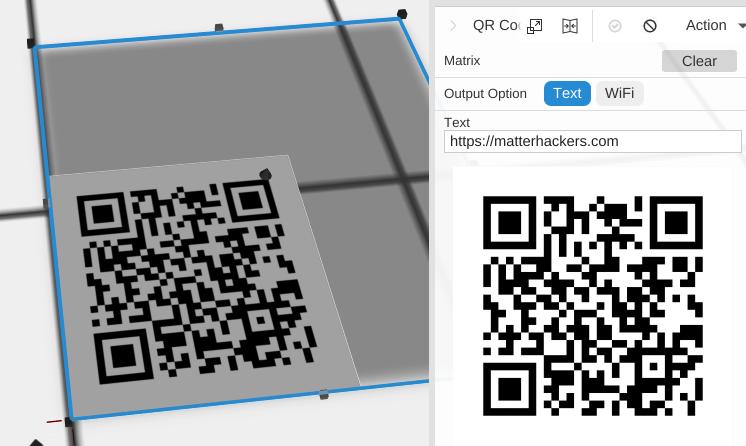
How to Use
- Open Included > Tools in the Library (or under Add to Bed) and add QR Code to the bed
- Choose Text or WiFi for Output Option
- Enter your content; the code updates as you type
- With the QR Code selected, click Image Converter in the Image group of the toolbar to make a solid code
Parameters
- Output Option - Text (default) or WiFi: what the code holds
Text
- Text - The text or web address to encode (default “https://matterhackers.com”)
WiFi
- SSID - The name of the WiFi network
- Password - The password of the WiFi network
- Security - WEP, WPA (default) or None
Both
- Invert - Off by default. Swaps the dark and light squares
Tips
- After Image Converter, place the solid code on top of a Cube base, or Subtract it to engrave the code into a surface
- Test that your QR code scans correctly with a phone before you export it
- WiFi QR codes let people connect to your network by scanning the code
- Keep the code large enough to scan on the finished part: scale it down only as far as a phone can still read it
Related
- Text - Standard 3D text
- Image Object - Place a picture in your design as the input for the image operations