Hole
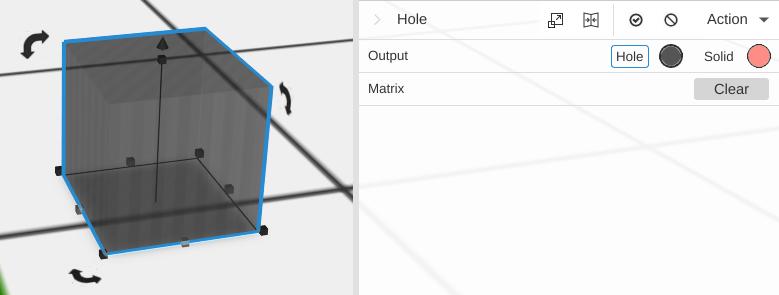
A cube-shaped object that is pre-configured to act as a boolean subtraction tool. When you use Combine, Hole objects are automatically subtracted from other shapes instead of being added to them.
How It Works
The Hole primitive works like a Cube but its Output row is set to Hole. When you combine objects that include a Hole, the Hole’s volume is removed from the result.
Every object has the same Output row at the top of its Properties panel, with Hole and Solid buttons. Set any shape, a Cylinder for a round hole for example, to Hole and it cuts the same way.
Parameters
Same as Cube:
- Width - Size along the X axis, in mm (default 20)
- Depth - Size along the Y axis, in mm (default 20)
- Height - Size along the Z axis, in mm (default 20)
- Round - Off by default. Turn it on to round every edge
- Radius - The size of the rounding, in mm (default 3). Shown only with Round on
- Round Segments - How many steps make each rounded edge (default 9). Shown only with Round on
Tips
- Position the Hole so it overlaps with the object you want to cut
- Make the Hole extend completely through the target object if you want a through-hole
- You can use regular shapes with Subtract for the same effect, but Holes are convenient because they work automatically with Combine
- For a round hole, add a Cylinder and set its Output to Hole