Inflate Path
Inflate Path expands a 2D path outward, making the shape larger while maintaining its overall form. This is similar to applying a uniform offset to all edges.
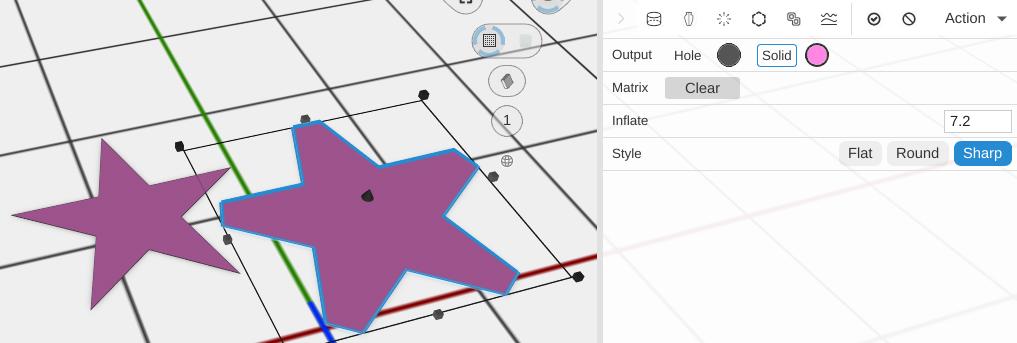
How to Use
- Select a 2D path
- Click Inflate Path in the Path group of the toolbar
- Set Inflate
Parameters
- Inflate - How far to move the path’s edges outward, in mm (default 0.2; the slider runs -5 to 5). A negative value shrinks a closed path inward
- Style - How corners (and the ends of open lines) are drawn: Flat, Round or Sharp (default)
Inflating an Open Line
Inflate is how you turn a line into a shape. Uncheck Closed on a Custom Path to draw an open line, then inflate it: the result is a filled ribbon as wide either side of the line as the amount you set. From there it extrudes like any other path.
Style sets how the two ends of the line are capped, as well as how its corners are joined:
- Flat stops the ribbon square at each end point
- Round adds a half circle past each end point
- Sharp adds a square past each end point
An open line has no inside to shrink into, so a zero or negative amount would leave nothing at all. When the path is entirely open, Inflate clamps the value up to a small positive number and writes the clamped number back into the box so you can see what happened.
A path that mixes open and closed contours is not clamped: the closed contours shrink as normal and the open ones simply drop out. A closed path shrinks on a negative value.
Tips
- Use negative values to shrink the path inward instead of expanding
- Inflate is useful for creating tolerance offsets around shapes
- Combine with Outline Path for creating borders with specific widths
Related
- Outline Path - Create an outline from a path
- Border Path - Add a border offset
- Smooth Path - Round the corners of a path