Torus
A donut-shaped ring with independent control over the overall size and the thickness of the ring cross-section.
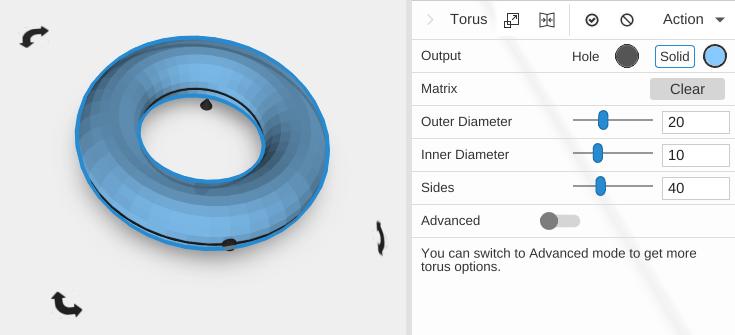
Parameters
- Outer Diameter - The overall width across the torus, in mm (default 20)
- Inner Diameter - The width of the hole in the center, in mm (default 10)
- Sides - Number of segments around the main ring (default 40; 3 to 360). Without Advanced, the cross-section gets half as many sides (at least 3)
- Advanced - Off by default. Turn it on for the options below
Advanced Parameters
- Starting Angle - Where the torus begins around its axis, in degrees (default 0)
- Ending Angle - Where the torus ends, in degrees (default 360). Less than 360 makes an open ring or arc
- Ring Sides - Number of segments around the cross-section (default 15; the slider runs 3 to 260). More is a smoother, rounder ring
- Ring Phase Angle - Turns the cross-section about its own center, in degrees (default 0). It shows most with few Ring Sides: with 4 at the default 0 the cross-section is a diamond (points at the outer edge, top, inner edge and bottom), and at 45 it becomes a square with a flat top
Tips
- The ring tube thickness is determined by the difference between Outer and Inner Diameter
- Use Starting and Ending Angles to create open ring segments, arcs, or C-shapes
- Useful for creating O-rings, handles, decorative rings, and pipe bends
Related
- Tube - A straight-walled hollow cylinder
- Sphere - A solid ball shape
- Half Sphere - A dome shape