Mirror
Mirror flips an object across one of the three main axes. The mirrored shape replaces the original in the design: the original is kept, hidden, inside the Mirror, so you can change the axis at any time.
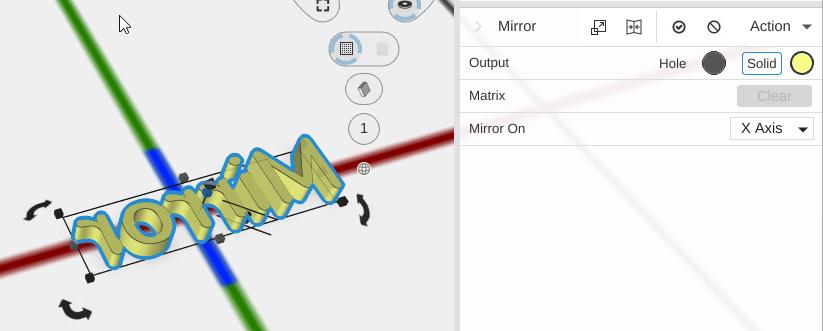
How to Use
- Select an object
- Click Mirror in the Transform group of the toolbar
- Choose which axis to mirror across
Parameters
- Mirror On - The axis to mirror across:
- X Axis (default) - Flips the object left to right
- Y Axis - Flips the object front to back
- Z Axis - Flips the object top to bottom
Tips
- Mirror is centered on the object’s bounding box, so the mirrored result occupies the same space as the original
- Face normals are automatically corrected after mirroring to maintain proper rendering
- Use Mirror to create symmetrical designs – model one half, Duplicate it (toolbar), mirror the copy, line the two up and Combine them
- Mirror is non-destructive: you can change the mirror axis at any time