Sharing
MatterCAD lets you share your designs with other users through share codes. This makes it easy to collaborate on designs or distribute your work.
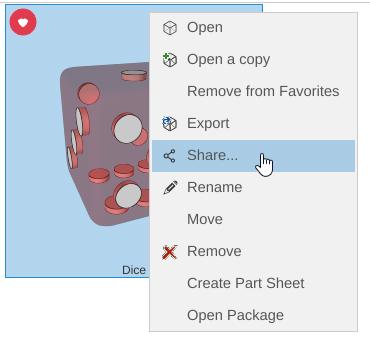
Sharing a Design
- Right-click on a design in your Cloud Library
- Select Share…
- A share code is generated that you can send to others
Receiving a Shared Design
- Get a share code from someone
- Sign in, click your name at the right of the tab bar, and choose Enter Share Code…
- Type the code and click Continue, then Done
- The shared design is in the Shared with Me folder of your Library
Tips
- Share codes work with designs stored in the Cloud Library
- A shared design is read-only for the person who receives it, so they can’t change your original
- Share codes can be distributed through any channel: email, chat, social media, etc.
Related
- Cloud Library - Store designs online for sharing
- Local Library - Manage designs on your computer
- Saving and Exporting - Alternative ways to share files