Radial Array
Radial Array creates multiple copies arranged in a circular pattern around a center point. Use this for creating features like gear teeth, clock markings, bolt circle patterns, or decorative rings.
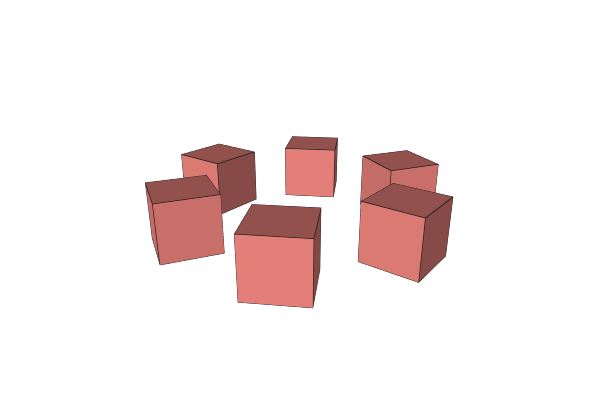
How to Use
- Select an object
- Apply the Radial Array operation from the Array menu
- Set the number of copies and adjust the center point
Parameters
- Count - Number of copies arranged around the circle (default: 3). Supports expressions.
- Axis - The center point and rotation axis for the circular arrangement. By default, this is offset from the object so the copies form a visible circle.
- Rotate Part - Whether each copy rotates to face outward from the center (default: on)
- On - Copies rotate with their position, like spokes on a wheel
- Off - Copies maintain their original orientation, only their position changes
Tips
- Copies are evenly spaced: the angle between each copy is 360 / Count
- Drag the axis center point in the viewport to change the radius of the circular pattern
- Set Rotate Part to off when you want all copies facing the same direction (like posts around a platform)
- Use expressions for Count to create parametric patterns
Related
- Linear Array - Arrange copies in a straight line
- Advanced Array - Arrays with scaling and compounding transforms