Involute Gear
Involute Gear makes spur gears, racks and internal (ring) gears with true involute teeth, as a solid or as a flat 2D outline. Gears mesh correctly with other gears of the same Circular Pitch and Pressure Angle.
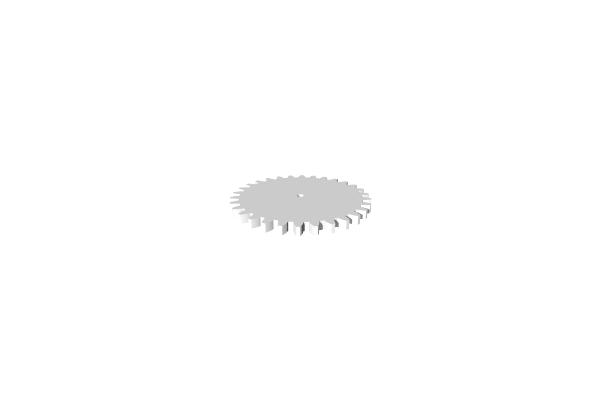
How to Use
- Open Included > Mechanical in the Library (or under Add to Bed) and add Involute Gear to the bed
- Choose the Gear Type and set the Tooth Count
- Set the Circular Pitch, which sets the size of the teeth (and so of the gear)
Parameters
- Plane - The construction plane the gear is drawn on (default XY, flat on the bed)
- Output - 3D (default) makes a solid gear; 2D makes its flat outline
Features
- Gear Type - External (default, an ordinary gear with teeth on the outside), Rack (a straight bar with teeth) or Internal (a ring with teeth on the inside, for a smaller gear to run in)
- Height - How thick the gear is, in mm (default 5). Shown only for 3D output
- Tooth Count - Number of teeth (default 30; the slider runs 4 to 60)
- Circular Pitch - The distance from one tooth to the next along the pitch circle: its circumference divided by the number of teeth, in mm (default 8; the slider runs 3 to 30). It sets the size of the teeth and so of the gear
- Center Hole Diameter - The diameter of the shaft hole, in mm (default 4; 0 for no hole). External gears only
- Outer Edge Width - Internal gears only. How wide the ring outside the teeth is, in mm (default 4)
- Inner Gear Tooth Count - Internal gears only. The tooth count of the gear that will run inside (default 8), needed to cut the inside teeth correctly. It must be at least 4 less than Tooth Count
Advanced
- Pressure Angle - The angle of the tooth contact surface, in degrees (default 20; common values are 14.5, 20 and 25). All meshing gears must use the same pressure angle
- Clearance - The smallest gap between the tip of a tooth and the bottom of the space it meshes into, in mm (default 0.05)
- Backlash - The smallest gap between meshing teeth, in mm (default 0.05)
Gear Data (Read Only)
Not shown for a Rack.
- Pitch Radius - The radius where gears mesh with each other
- Outer Diameter - The diameter to the tips of the teeth
Tips
- Two gears will mesh correctly when they have the same Circular Pitch and Pressure Angle
- Use the Pitch Radius values to correctly space meshing gears – the distance between gear centers should equal the sum of their pitch radii
- Raise Backlash if meshing gears are too tight to turn freely
- For a flat gear profile to use with path operations such as Linear Extrude, set Output to 2D
Related
- Cycloidal Gear - A cycloidal speed reducer, for large reductions in one compact stage
- Threads - Create threaded features