Dilate
Dilate grows a solid outward by at least the radius you set, never less. Flat faces move outward. Outside edges and corners become rounded, holes become smaller, and nearby features can join.
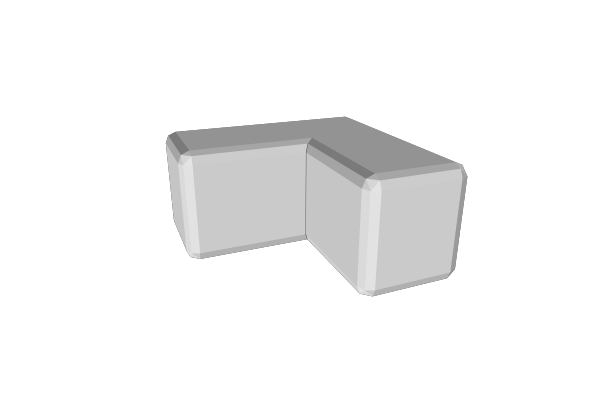
How to Use
- Select a solid part
- Click Dilate in the Round & Offset group of the toolbar
- Set Radius to the smallest distance to grow
- Wait for the operation to finish; use Cancel in the task area to keep the previous result
On a detailed part, MatterCAD builds fast by default. Every surface still moves at least the radius, but inside corners that should stay sharp can come out slightly rounded, and a note in the panel says so. For perfectly sharp edges, check Exact at the top of the panel; it is slower, and on a large part it can take minutes. Simple parts are always built exactly, so the checkbox doesn’t show for them.
With Exact checked, dragging the Radius slider shows a quick, see-through preview, and a Preview row appears in the task area. Let go to build the exact result; it replaces the preview, with a progress bar and the time left. Grab the slider again to stop that build and return to the preview.
Parameters
- Radius - The least distance surfaces move outward (default: 1 mm). Must be greater than zero. Some faces can move a little further, never less
- Exact - Shown only on detailed parts (256 triangles or more). Check it for the precise result with perfectly sharp edges; it is slower. Unchecked, the part builds in seconds
- Segments - Only used by exact builds. The detail of the rounding ball (default: 16). More segments produce finer curves and bring the result closer to exactly the radius set, but take longer, especially on parts with pockets or notches
Tips
- This changes the whole part’s dimensions. To round edges while broadly preserving the original dimensions, use one of the Round operations below
- Radius is measured in the source part’s own coordinates. Non-uniform scaling applied afterward also stretches the rounding
- These operations require a solid. Use Inflate Path to grow or shrink a 2D path
Related
- Erode - Shrink a solid inward
- Round All Edges - Erode followed by Dilate at the same radius
- Round Inside Edges - Dilate followed by Erode at the same radius
- Fillet - Round only the edges you pick