Intersect
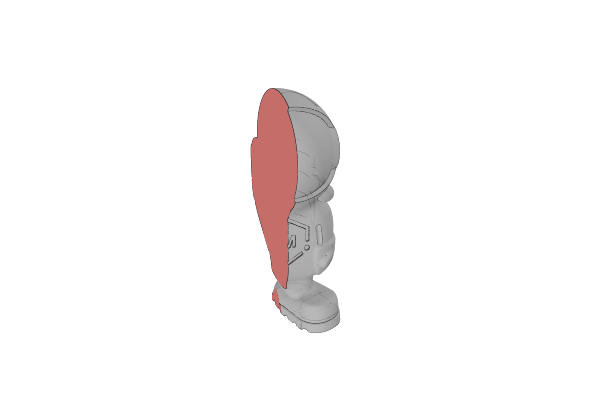
Intersect keeps only the volume every object shares and discards the rest.
Combine, Subtract, Intersect and Subtract and Replace are all performed by one Boolean object – the toolbar button creates it with Intersect already selected, and you can switch to any of the other three at any time from the row of operation icon tabs at the top of the Properties panel.
Intersect works on solids and on 2D paths. It looks at what you gave it and does the right kind of operation, so intersecting two paths produces one path and intersecting two meshes produces one solid.
How to Use
- Select two or more objects
- Click Intersect in the toolbar
- Change your mind at any time by clicking a different operation tab at the top of the Properties panel (each tab shows the operation’s icon, hover for its name) – the shape rebuilds with the new operation
Parameters
- Operation - Which boolean to perform. Shown as a row of icon tabs at the top of the panel
- Keep Inside Out Geometry - Treat an inside-out shell as solid material instead of letting it cancel out the volume around it. Turn this on when a model that should be solid comes back with parts missing. It forces the slower, exact boolean engine
- Repair Winding Order - Rewind each part’s inside-out shells before the boolean runs. This fixes the geometry once rather than changing what every later operation counts as solid, and is usually the better of the two answers to an inside-out model
Tips
- The objects have to overlap. If they do not actually overlap, the result is empty
- With more than two objects it works down the list: the first two are intersected, then that result is intersected with the third, and so on
- If a result looks wrong, check that the source objects are watertight. Repair Winding Order fixes inside-out shells; Repair fixes broader damage in imported models
Related
- Combine - Merge multiple objects into a single solid shape
- Subtract - Cut one shape out of another
- Subtract and Replace - Subtract one shape and keep the piece that was cut away
- Plane Cut - Cut with a flat plane instead of another shape
- Repair - Fix damaged imported meshes before a boolean
This page also covers the older Intersection objects still found in designs saved before the operations were merged. They keep working exactly as they did; new designs use the shared Boolean object with the Intersect operation selected.